How to install fonts on photoshop 7 winXP

  • tommytx
  • Born
  • Born
  • No Avatar
  • Joined: Jun 19, 2005
  • Posts: 3
  • Status: Offline

Post June 19th, 2005, 9:01 am

I have several fonts that were received with a website template, and the fonts are not in any installer program, they are separate. How do I install them so that photoshop 7 will pick them up.
I can go to start, settings, control panel, and click on the fonts folder and I see a lot of fonts, but I am concerned that if I just dump them there, they may cause a problem as I have heard fonts must be installed, not just copied to a folder.

Tom
  • Anonymous
  • Bot
  • No Avatar
  • Joined: 25 Feb 2008
  • Posts: ?
  • Loc: Ozzuland
  • Status: Online

Post June 19th, 2005, 9:01 am

  • Axe
  • Genius
  • Genius
  • User avatar
  • Joined: Jan 07, 2004
  • Posts: 5744
  • Loc: Sub-level 28
  • Status: Offline

Post June 19th, 2005, 10:31 am

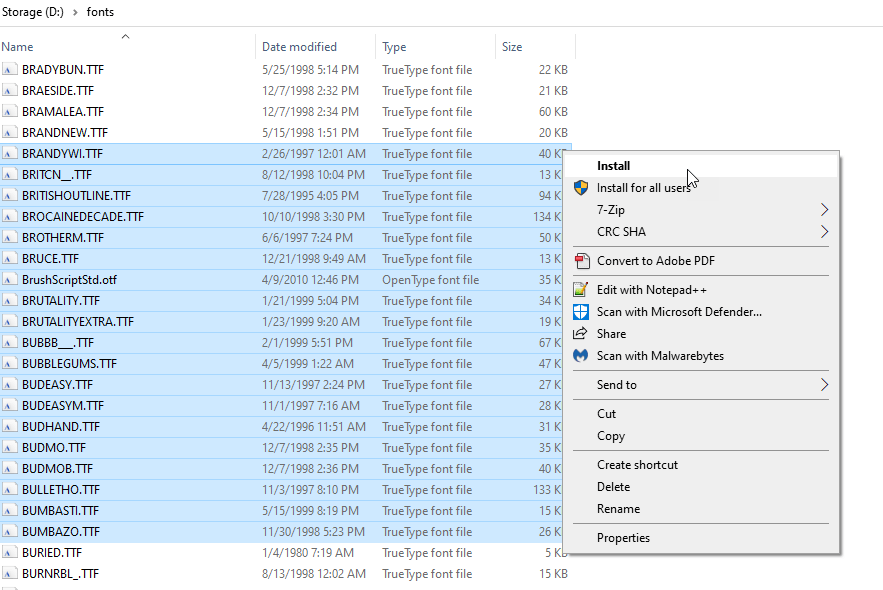
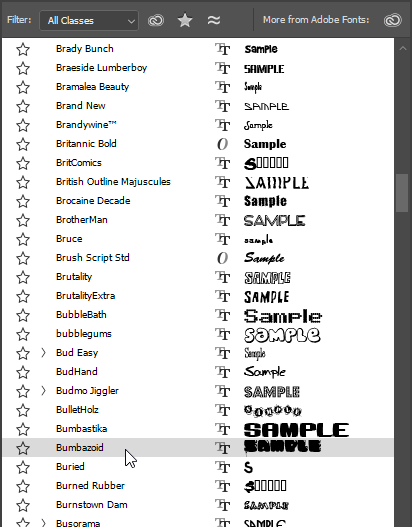
You don't install fonts in Photoshop 7. You install fonts into windows. Photoshop will pick them up same as any other application.

Don't just dump them there. Try looking at "install" on the file menu of the fonts folder.
  • musik
  • Legend
  • Super Moderator
  • User avatar
  • Joined: Aug 06, 2003
  • Posts: 6892
  • Loc: up a tree
  • Status: Offline

Post June 19th, 2005, 12:07 pm

hi

i had hassles installing fonts too. I thought if I copied and pasted them into the fonts folder they would work, but it doesnt you actually have to install them.

Go to Start menu > Setting > Control Panel > Fonts

In the Fonts window

Go to File > Install new font

Locate font on your computer (if more than one select the ones you want)

Press OK, they will install into your system and when you next open Photoshop you will see them there.

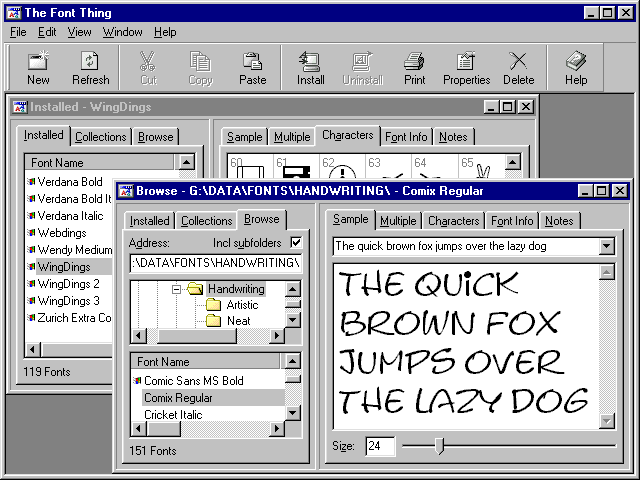
A good program to use to browse your fonts if your anything of a font maniac like me if this Freeware program called The Font Thing

http://www.download.com/The-Font-Thing/ ... 19711.html

Hope that helps,
Rose
Opportunity To Do - Changing the lives of children around the world.
Rose.id.au - Doing Life.
  • SB
  • Moderator
  • Genius
  • User avatar
  • Joined: Nov 16, 2004
  • Posts: 8673
  • Loc: Aberdeen, Scotland
  • Status: Offline

Post June 20th, 2005, 5:41 am

Thats strange, i have dumped fonts into the font folder and its worked a charm.

Having said that, its obviously better you do what Musik and Axe suggested as that is obviously a more secure and wise way to work.
  • musik
  • Legend
  • Super Moderator
  • User avatar
  • Joined: Aug 06, 2003
  • Posts: 6892
  • Loc: up a tree
  • Status: Offline

Post June 20th, 2005, 5:45 am

yeah it always used to work for me too, maybe its something that has changed in XP.. not sure
Opportunity To Do - Changing the lives of children around the world.
Rose.id.au - Doing Life.
  • nero
  • Student
  • Student
  • No Avatar
  • Joined: Dec 12, 2004
  • Posts: 66
  • Status: Offline

Post June 26th, 2005, 9:37 am

ive always just dumped the fonts into c:/windows/fonts and it works well.
  • ScienceOfSpock
  • Mastermind
  • Mastermind
  • User avatar
  • Joined: Jul 06, 2004
  • Posts: 1890
  • Loc: Las Vegas
  • Status: Offline

Post June 26th, 2005, 11:57 am

I've noticed a change in the way windows handles fonts as well, but it's for the better.
I have always used the file->install option to add fonts, but sometime after I upgraded to XP I noticed that I no longer have to restart photoshop after installing new fonts.
Before, I used to download new fonts while I was working on a project, which usually meant I had photoshop open. I would install the fonts then restart photoshop so they would show up in the list. Now, I can install new fonts without restarting photoshop.
  • Captain-Nick
  • Proficient
  • Proficient
  • User avatar
  • Joined: Jun 04, 2005
  • Posts: 333
  • Loc: North Lincolnshire, UK.
  • Status: Offline

Post July 7th, 2005, 6:46 pm

i have xp and I just dump the fonts in the fonts folder. it comes up with a installation progress bar for a fraction of a second as it installs the font.
  • UNFLUX
  • Genius
  • Genius
  • User avatar
  • Joined: Dec 20, 2002
  • Posts: 6382
  • Loc: twitter.com/unflux
  • Status: Offline

Post July 7th, 2005, 7:34 pm

just be sure that you don't have photoshop loaded when installing fonts, or you will have to close it and reopen it. Photoshop doesn't load fonts on the fly.
UNFLUX.FOTO
  • Captain-Nick
  • Proficient
  • Proficient
  • User avatar
  • Joined: Jun 04, 2005
  • Posts: 333
  • Loc: North Lincolnshire, UK.
  • Status: Offline

Post July 7th, 2005, 9:40 pm

I've installed a font while Photoshop have been open, and the font has installed fine, and instantly apperared in PS 8)
  • blink182av
  • Guru
  • Guru
  • No Avatar
  • Joined: Jun 27, 2005
  • Posts: 1261
  • Loc: New York
  • Status: Offline

Post July 7th, 2005, 9:50 pm

Captain-Nick wrote:
I've installed a font while Photoshop have been open, and the font has installed fine, and instantly apperared in PS 8)


werd.

same here :P
  • RainMayYetCome
  • Newbie
  • Newbie
  • No Avatar
  • Joined: Jul 09, 2005
  • Posts: 14
  • Loc: Oregon
  • Status: Offline

Post July 9th, 2005, 9:46 pm

Bah, I just obtained Adobe Photoshop 7 a few days ago, and am trying to install these fonts. I have installed them and they show up on the list, but they're really big even on size 6. Maybe I'm just making a simple error that has a simple solution, but I'm stuck. I downloaded these 2 pixeled fonts and they're supposed to be pretty small, but they're turning out very large.

So what's up with this?
  • blink182av
  • Guru
  • Guru
  • No Avatar
  • Joined: Jun 27, 2005
  • Posts: 1261
  • Loc: New York
  • Status: Offline

Post July 9th, 2005, 11:59 pm

how large is the document you are trying to put them on? did you try saving it and opening it up as a jpeg or a gif?
  • RainMayYetCome
  • Newbie
  • Newbie
  • No Avatar
  • Joined: Jul 09, 2005
  • Posts: 14
  • Loc: Oregon
  • Status: Offline

Post July 10th, 2005, 1:21 pm

Well I noticed that when I type with these pixel fonts on a larger image, they turn out fine. Although when I first obtained the photoshop and I typed with the pixel fonts on a smaller transparent image, it worked fine too.

I'll try saving it as a gif.
  • RainMayYetCome
  • Newbie
  • Newbie
  • No Avatar
  • Joined: Jul 09, 2005
  • Posts: 14
  • Loc: Oregon
  • Status: Offline

Post July 10th, 2005, 1:22 pm

It worked! Oh thank you so much!
  • Anonymous
  • Bot
  • No Avatar
  • Joined: 25 Feb 2008
  • Posts: ?
  • Loc: Ozzuland
  • Status: Online

Post July 10th, 2005, 1:22 pm

Post Information

  • Total Posts in this topic: 17 posts
  • Users browsing this forum: No registered users and 57 guests
  • You cannot post new topics in this forum
  • You cannot reply to topics in this forum
  • You cannot edit your posts in this forum
  • You cannot delete your posts in this forum
  • You cannot post attachments in this forum


© 2011 Unmelted, LLC. Ozzu® is a registered trademark of Unmelted, LLC.