how to enable regedit?

  • The^Watcher
  • Student
  • Student
  • No Avatar
  • Joined: Mar 25, 2004
  • Posts: 72
  • Loc: Sabah, Malaysia
  • Status: Offline

Post February 10th, 2006, 8:58 pm

hello there,

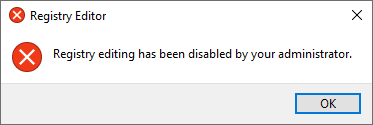
i have a problem entering regedit. everytime i try running regedit there is a popup msg said "regedit has be disable by administrator" how can i enable it. btw i'm the administrator.
thank you.
  • Anonymous
  • Bot
  • No Avatar
  • Joined: 25 Feb 2008
  • Posts: ?
  • Loc: Ozzuland
  • Status: Online

Post February 10th, 2006, 8:58 pm

  • Alkatr0z
  • Mastermind
  • Mastermind
  • No Avatar
  • Joined: Feb 08, 2004
  • Posts: 1883
  • Loc: Adelaide, Australia
  • Status: Offline

Post February 10th, 2006, 9:42 pm

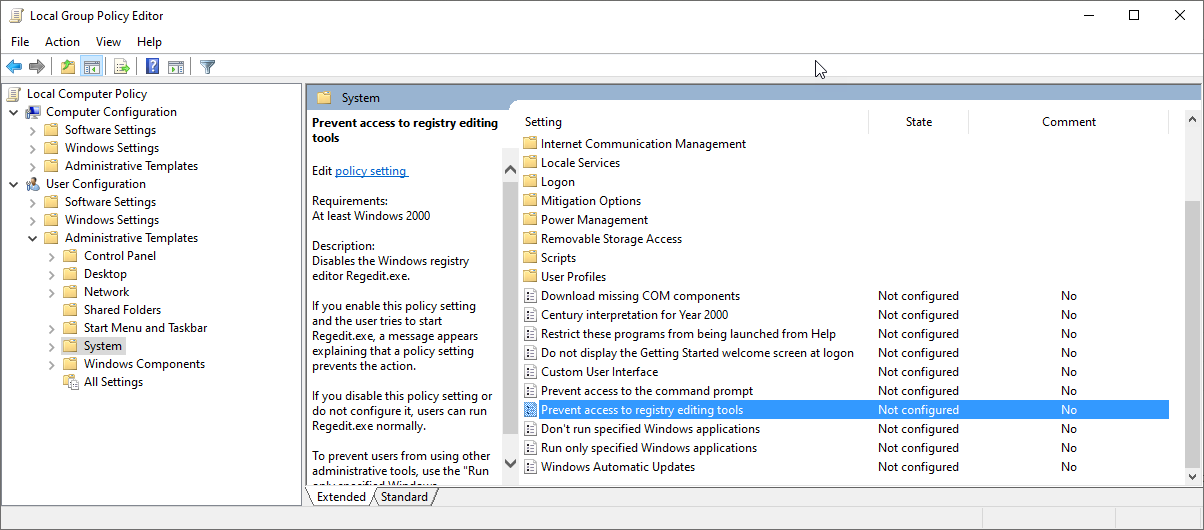
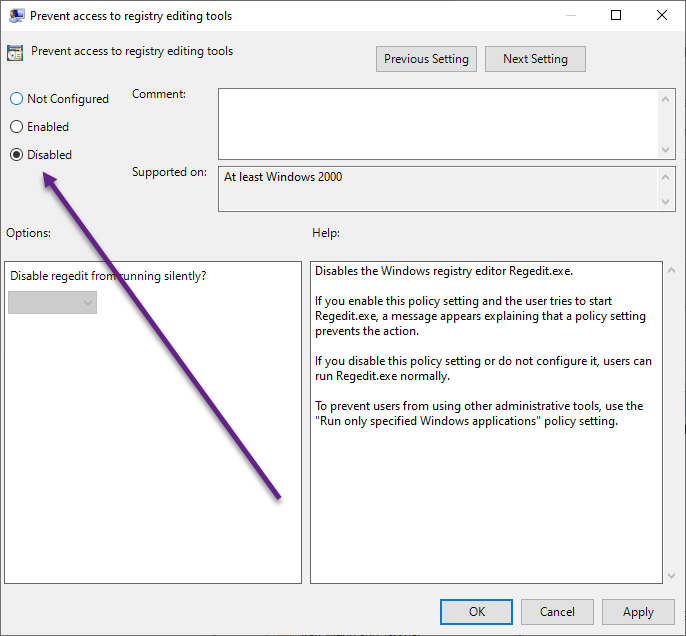
Start -> Run -> gpedit.msc -> User Configuration -> Administrative Templates -> System -> Prevent access to registry editing tools -> Right Click Properties -> Disabled
  • grinch2171
  • Moderator
  • Genius
  • User avatar
  • Joined: Feb 11, 2004
  • Posts: 6740
  • Loc: Martinsburg, WV
  • Status: Offline

Post February 10th, 2006, 10:06 pm

There is also some virus/spyware/malware that can cause this behavior as well. Wouldn't hurt to post a HiJack This Log just in case.
‎"Be polite, be professional, but have a plan to kill everybody you meet." Maj. Gen. James Mattis
  • The^Watcher
  • Student
  • Student
  • No Avatar
  • Joined: Mar 25, 2004
  • Posts: 72
  • Loc: Sabah, Malaysia
  • Status: Offline

Post February 11th, 2006, 4:43 am

thanks Alkatr0z, i'll try it later. so grinch2171, if there is a some virus/spyware/malware that cause this behavior. what shoul i do?
  • grinch2171
  • Moderator
  • Genius
  • User avatar
  • Joined: Feb 11, 2004
  • Posts: 6740
  • Loc: Martinsburg, WV
  • Status: Offline

Post February 11th, 2006, 5:04 am

‎"Be polite, be professional, but have a plan to kill everybody you meet." Maj. Gen. James Mattis
  • The^Watcher
  • Student
  • Student
  • No Avatar
  • Joined: Mar 25, 2004
  • Posts: 72
  • Loc: Sabah, Malaysia
  • Status: Offline

Post February 16th, 2006, 3:34 am

Alkatr0z wrote:
Start -> Run -> gpedit.msc -> User Configuration -> Administrative Templates -> System -> Prevent access to registry editing tools -> Right Click Properties -> Disabled


it not work... btw i using Windows XP.
  • Alkatr0z
  • Mastermind
  • Mastermind
  • No Avatar
  • Joined: Feb 08, 2004
  • Posts: 1883
  • Loc: Adelaide, Australia
  • Status: Offline

Post February 16th, 2006, 3:37 am

Follow Grinch's instructions and post a Hijack This log.
  • Mr Computer
  • Born
  • Born
  • No Avatar
  • Joined: Nov 12, 2007
  • Posts: 1
  • Status: Offline

Post November 12th, 2007, 1:52 pm

The^Watcher

try this:

After further investigation, we found out
ntsysman.exe in Task Manager and when we tried to kill
the process, it will restart again and again. So, we
decided to search for ntsysman.exe and syslog32.exe in
the local drives and delete it. After reboot,
everything went back to normal state.
  • Kinezu
  • Born
  • Born
  • No Avatar
  • Joined: Jan 19, 2008
  • Posts: 1
  • Status: Offline

Post January 19th, 2008, 6:22 am

The^Watcher wrote:
Alkatr0z wrote:
Start -> Run -> gpedit.msc -> User Configuration -> Administrative Templates -> System -> Prevent access to registry editing tools -> Right Click Properties -> Disabled


it not work... btw i using Windows XP.


Sincerily for me it worked , thanks man :) ,great job , with " gpedit.msc " you can do nice things :)
  • Neverseen
  • Born
  • Born
  • User avatar
  • Joined: Jul 30, 2008
  • Posts: 1
  • Status: Offline

Post July 30th, 2008, 7:14 am

WOW this helped lots thanks stupid spyware
  • alte5
  • Born
  • Born
  • No Avatar
  • Joined: Dec 19, 2008
  • Posts: 1
  • Status: Offline

Post December 19th, 2008, 10:20 pm

you can also try to use system restore if there is no hope. ^_^

Post Information

  • Total Posts in this topic: 11 posts
  • Users browsing this forum: No registered users and 193 guests
  • You cannot post new topics in this forum
  • You cannot reply to topics in this forum
  • You cannot edit your posts in this forum
  • You cannot delete your posts in this forum
  • You cannot post attachments in this forum
 
cron
 

© 2011 Unmelted, LLC. Ozzu® is a registered trademark of Unmelted, LLC.