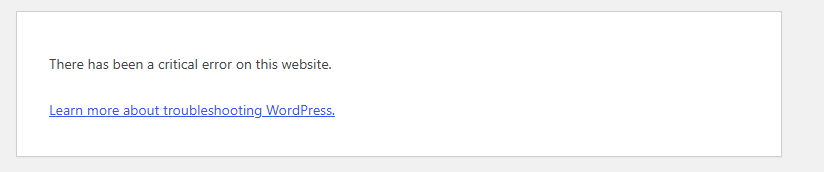
Last week I checked my website and found that in the Microsoft Edge browser it was displaying an error message. Here's a screen shot of the error message.
So how do we fix this?
add a comment

Last week I checked my website and found that in the Microsoft Edge browser it was displaying an error message. Here's a screen shot of the error message.
So how do we fix this?
The thing is my website that is designed in WordPress was displaying normal in all other browsers except for Microsoft Edge. Actually, if I opened an Edge Private Window it displayed just fine there as well. To save you the time of researching this error (took me about 3 hours of searching for ideas) here's the solution.
Turns out that it's usually an addon plugin that had a recent update that causes the problem. In my case I found the culprit to be a popular plugin called Elementor. To figure out which plugin was causing the problem I had to deactivate them one by one and then check my site, then reactivate them until I finally found the problem was Elementor. When I deactivated Elementor my site loaded just fine. The interesting part is that, despite its popularity I never used it anyway. In the end I just deleted it.
After the fact I also discovered by checking my site health in WordPress I also discovered that the version of PhP I was running was old. I updated it to the newest version because it may have been part of the conflict with the Edge browser not displaying my site.
I posted this because earlier this morning I found another site that was displaying the same WordPress error.
Hoping this helps you fix it!
I faced this once after updating a plugin. At first I thought it was an Edge browser issue, but it turned out to be a plugin conflict. I enabled WP_DEBUG in wp-config.php to check the error log, then disabled all plugins and activated them one by one until I found the culprit. If that doesn't help, switching to a default WordPress theme and checking the PHP version is also worth trying. That solved it for me.
Oh man, that "critical error" screen is one of the most panic-inducing things WordPress throws at you, but good news — it's almost always fixable, and honestly it's not even an Edge thing. It just happens to be the browser you were on when you spotted it. The real issue is happening on the server side, usually a PHP error of some kind.
Here's what I'd try, in order:
First, check your email. WordPress actually sends the site admin a message with the specific error details the moment this happens (has done since version 5.2). People miss it all the time because it lands in spam or just gets buried. Worth a quick look before doing anything else.
If that doesn't turn anything up, turn on debug mode so you can actually see what's breaking instead of staring at a vague error message. Just add this to your wp-config.php file, above the "that's all, stop editing" line:
define( 'WP_DEBUG', true );
define( 'WP_DEBUG_LOG', true );
define( 'WP_DEBUG_DISPLAY', false );
This'll log the real error to a file at /wp-content/debug.log instead of hiding it.
Next, and this is usually the culprit — plugins. If you can still get into wp-admin, go deactivate all your plugins, then turn them back on one at a time until the site breaks again. That tells you exactly which one caused it. If you're locked out of admin entirely, just rename the /wp-content/plugins folder through FTP or your host's file manager — WordPress will deactivate everything automatically.
If plugins aren't the problem, try your theme next. Same idea — rename your active theme's folder via FTP and WordPress will fall back to a default one.
Also worth peeking at your PHP error logs through your hosting panel (cPanel, Plesk, whatever you're using). It usually points straight to the file and line number causing the mess.
And sometimes it's just boring old memory exhaustion. If nothing else works, try bumping this up in wp-config.php:
define( 'WP_MEMORY_LIMIT', '256M' );
If all else fails and you've got a recent backup, restoring that can get you back online fast while you dig into the actual cause separately.
If you can grab the exact error text from the debug log or that email WordPress sends, share it — makes it way easier to nail down exactly what went wrong instead of going through the whole checklist blind.